


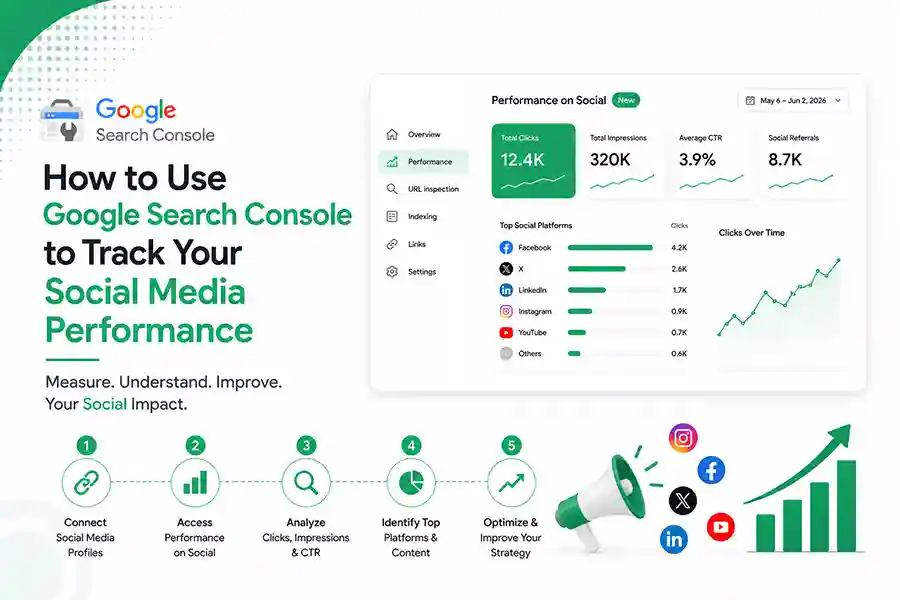
Google Search Console has always been the go-to tool for checking how your website performs on Google. But that’s changing.
Google now lets you connect your Instagram, YouTube, TikTok and X accounts directly to Search Console using Platform Properties. That means you can finally see how your social content performs on Google Search—not just inside the social platforms themselves.
If you’re a business owner, marketer or content creator, here’s exactly how to set it up and why it matters.
Step 1: Open Google Search Console
Sign in to your Google Search Console account.
Click the Property Selector in the top-left corner and choose Add Property.

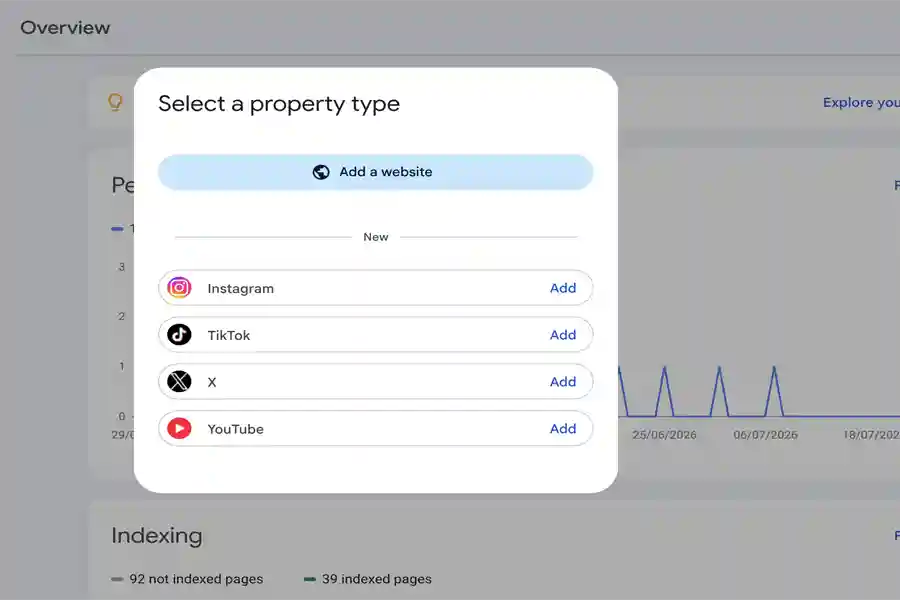

If the feature has reached your account, you’ll now see options for supported social platforms.
Supported platforms
- YouTube
- TikTok
- X (Twitter)
Google is rolling out this feature gradually, so don’t worry if you don’t see it yet.
Step 2: Verify Your Social Account
Choose the platform you want to connect.
Google will ask you to log in and authorize the account. Unlike website verification, you don’t need DNS records or HTML files. Everything happens securely through your social account.
Once verified, the property appears alongside your website properties.
Step 3: Start Monitoring Performance
After data starts appearing, you’ll notice three main reports.
Performance Report
This shows:
- Clicks
- Impressions
- Search Queries
- Top-performing posts
Instead of guessing what people searched for, you’ll know the exact keywords that brought users to your social content through Google Search.
Insights Report
This gives you a quick overview of:
- Traffic trends
- Best-performing content
- Discovery patterns
Think of it as a simple dashboard that tells you what’s working without digging through multiple reports.
Also read : Google Search Console Can Now Track Your Social Content. Here’s Why That Matters
Achievements
Google also tracks milestones like reaching new click thresholds over the last 28 days.
It’s a small feature, but it’s useful for measuring long-term growth.
Here’s Why This Matters for SEO
Most marketers have treated SEO and social media as two separate strategies.
That approach no longer makes sense.
If someone searches for a product, tutorial or brand, Google may now show an Instagram Reel, a YouTube video or a TikTok before your website.
Platform Properties help you understand which social content is appearing in search results and why.
How to Actually Use This Data
This is where many guides stop—but this is where the real value begins.
When you notice certain search queries bringing traffic to your Instagram or YouTube, create more content around those topics.
If one Reel gets thousands of Google impressions, consider:
- Writing a blog on the same topic.
- Creating a YouTube video covering it in more detail.
- Updating older website content around that keyword.
- Turning it into a LinkedIn post or newsletter.
One successful idea can become content across multiple platforms.
That’s smarter content marketing.
Common Mistakes to Avoid
- Don’t expect historical data immediately.
- Don’t compare Search Console clicks with social engagement metrics—they measure different things.
- Don’t ignore low-click but high-impression keywords. They often reveal opportunities to improve titles, captions or content.
Final Thoughts
Google is making one thing very clear.
Search is no longer limited to websites.
Videos, Reels and social posts are becoming part of how people discover brands online. If your business is active on social media, connecting your accounts to Google Search Console gives you valuable insight into what people are actually searching for—and how your content is helping them find you.
The earlier you start collecting this data, the better you’ll understand what content deserves more attention.